
Android app by Ice-Crystals
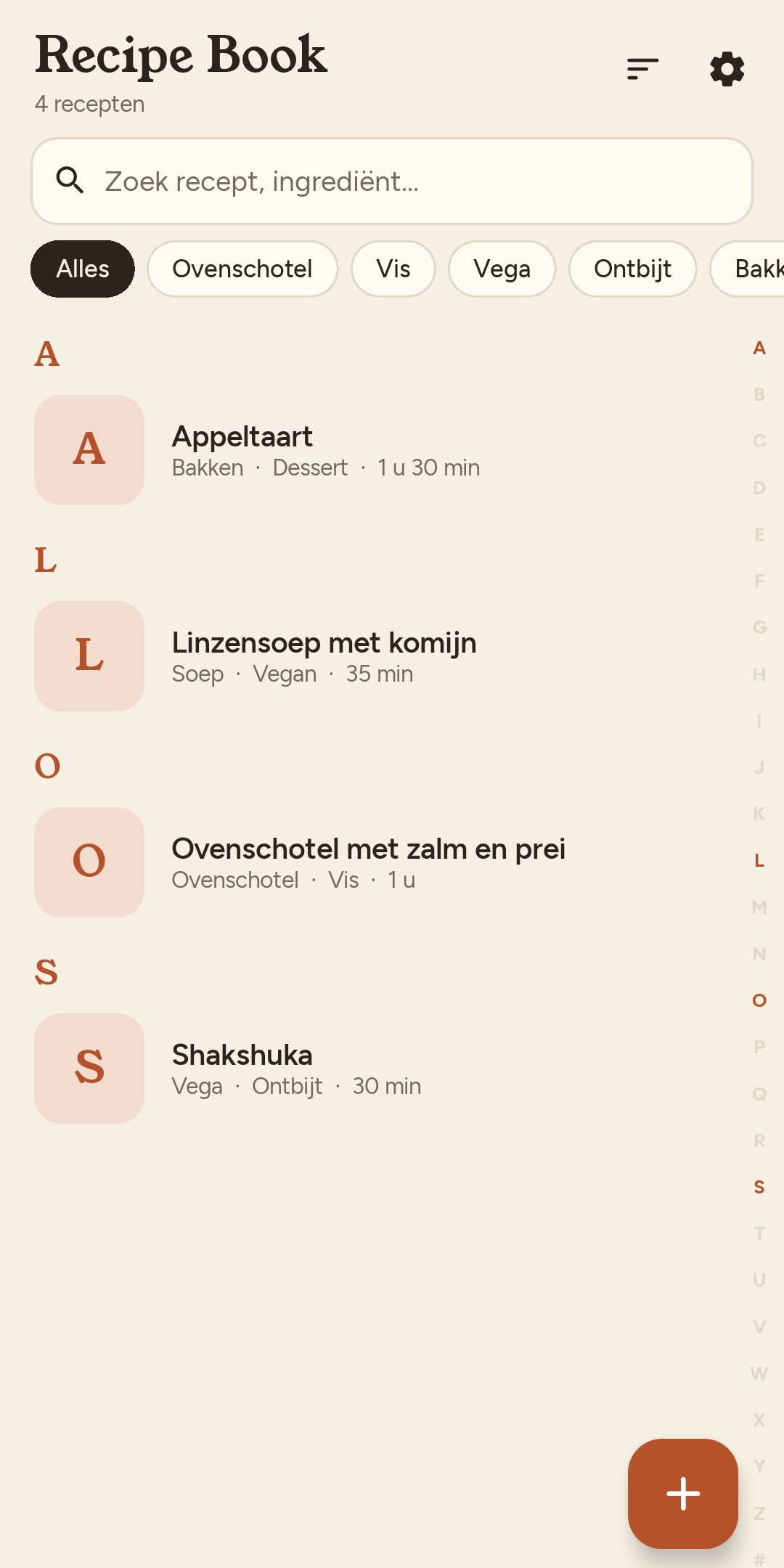
All your recipes, in one clear house style.
Share a link, snap a cookbook page or type it in. Recipe Book rewrites every recipe neatly, with the amounts right in the steps.
Now in closed testing. Coming soon to Google Play.
- No account
- No ads
- No tracking
- Free to try
Recipe in
Three ways to add a recipe
-
Share a link
From your browser with Share, or paste it. Even pages full of ads and life stories.
-
Take a photo
Of a cookbook page, a magazine or grandma’s handwritten note.
-
Type it yourself
A recipe of your own? The editor knows ingredients, groups, times and steps.
House style out
From a messy blog post to a recipe you can cook
OK so I’ve been making this bake for the whole family for years!! Grab about 1¾ lb of potatoes, peel and boil till soft (takes me like 15 min). Meanwhile crank the oven to 400°F, then the leeks…
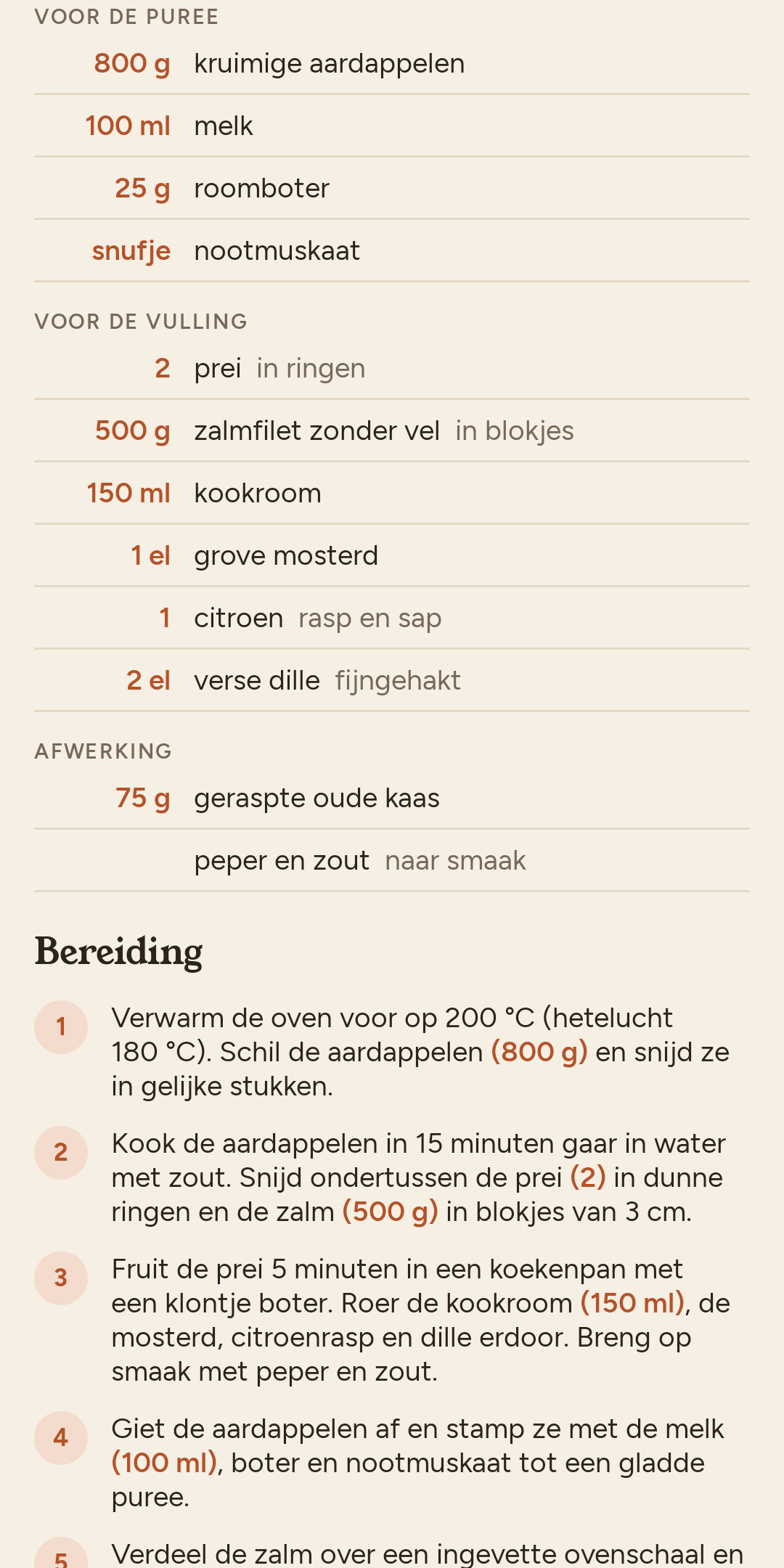
- Preheat the oven to 200 °C. Peel the potatoes (800 g) and cut them into even pieces.
- Boil the potatoes in salted water for 15 minutes until tender. Meanwhile, slice the leeks (2) into thin rings.
The same tone, metric units and °C (400 °F becomes 200 °C), with the amounts in the steps. Prefer cups and °F? Switch in Settings.
Cooking
More people at the table? Everything scales.
Change the number of servings and every amount follows, in the ingredients and in the steps. Give it a try.
- 800 gfloury potatoes
- 100 mlmilk
- 500 gsalmon fillet, diced
- 2leeks, in rings
Boil the potatoes (800 g) for 15 minutes until tender.
-
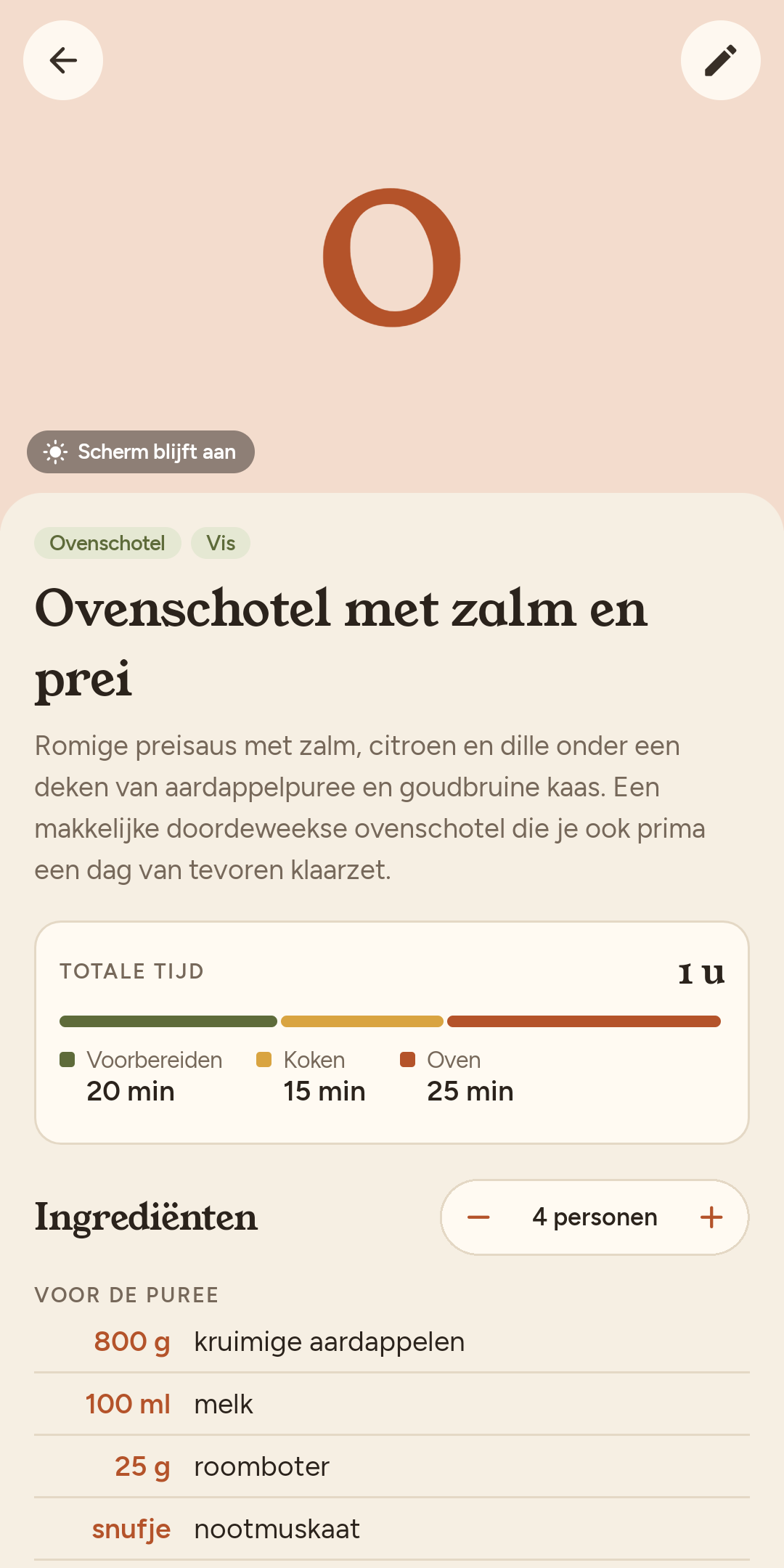
Time bar
Preparation 20 min · cooking 15 min · oven 25 min
See at a glance how long it takes, and how much of that is waiting.
-
Tick off steps
- Done:
Preheat the oven - Boil the potatoes
See right away where you were, even after a break.
- Done:
-
Units and screen
Celsius or Fahrenheit
Metric or US cups, whatever you like. And your screen stays on while you cook.
Household
One recipe book for the whole house
Pair the phones at home with a QR code. Recipes, changes, ratings and the trash stay in sync over your own Wi-Fi, encrypted. No cloud, no account. Part of Recipe Book full: one purchase covers the whole house.
Rate what you cooked and note what to do differently next time. Everyone sees the average.
Household paired3 phones, in sync over your own Wi-Fi
No photo?
Then Recipe Book draws one
A simple, flat illustration in the app’s colours, so your overview doesn’t look like a list of empty boxes. Rather use your own photo? You always can.
Lentil soup with cuminSoup · Vegan · 35 min · illustration by Gemini
Light, dark, four languages
Just as nice to cook with at night
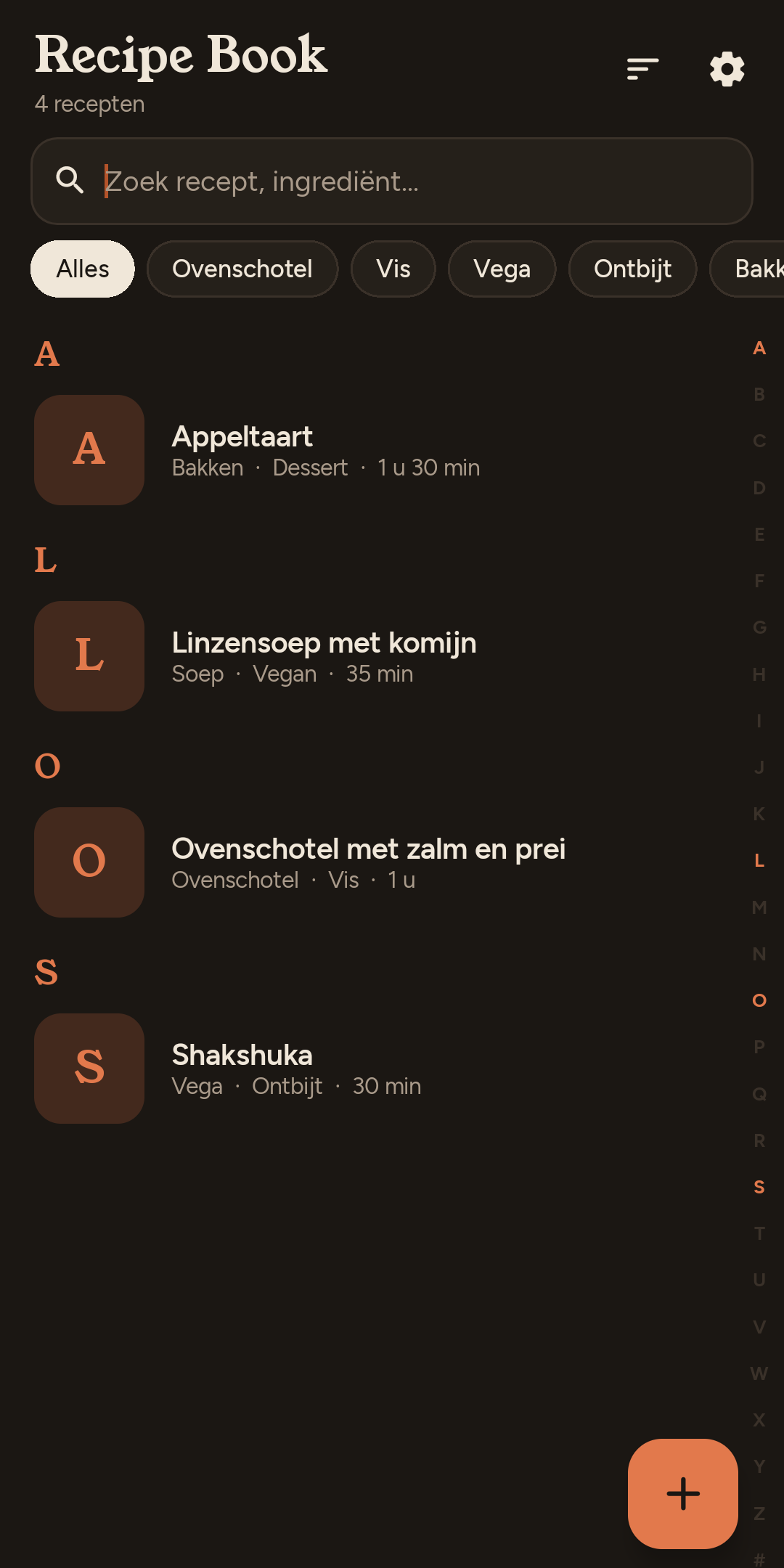
A warm dark mode that follows your phone. The app speaks English, Dutch, French and German, and a recipe in another language is translated with one tap.
- Nederlands
- English
- Français
- Deutsch
Yours, on your phone
Read the privacy statementNo account
Install and cook. No email address, no password.
No tracking
No analytics, no ads, no server of the maker.
No subscription
Free for 10 recipes of your own. Unlimited, and sharing with your household: €0.99, once.
Backups as a file
Keep your recipes wherever you like. The app never sends them anywhere.
Do I need an API key?
Only for importing, translating and illustrations. You make a free key in Google AI Studio in a minute; the app shows you how. Typing recipes, cooking and sharing with your household work without a key.
What is sent to Google?
Only what you import, translate or have drawn: the link, the recipe text or your photo. Everything else stays on your phone. With a free key, Google may use it to improve its products, so don’t include personal information.
Can someone in my household use my key?
Yes. Paired phones without a key of their own can use yours. You can turn that off in Settings.
What happens after 10 recipes?
Only adding stops: your recipes stay, and you can still view, edit and cook them. Sample recipes and the trash don’t count. With Recipe Book full (€0.99, once) you add as many as you like.
Does everyone at home have to pay?
No. One paired phone with Recipe Book full unlocks the whole household.
How do I move everything to a new phone?
Create a backup in Settings and restore that file on your new phone, or pair it with your household. Get your purchase back with Restore purchase, on the same Google account.
Is there an iPhone version?
Not for now. Recipe Book is for Android; an iPhone version may come in the future.
What’s new
A little better every time
-
0.11.3 Privacy and backups
The privacy statement has been updated: Recipe Book is made by Ice-Crystals. Nothing changes in what happens to your data.
-
0.11.0 Free to start
Recipe Book is free for 10 recipes of your own. One purchase of €0.99 gives you unlimited recipes and sharing with your household.
-
0.10.4 Fewer permissions
Choosing a photo no longer asks for access to all your photos: you pick only what the app may see.
Closed test
Try it before everyone else
Before Recipe Book goes on Google Play, a small group tests it for two weeks. You need an Android phone and a Google account.
- Join our Google Group with the Google account you use on your phone.
- Then open the test page on Google Play and tap “Become a tester”.
- Install the app, keep it for 14 days and use it now and then. Send feedback from the app.
Only Ice-Crystals sees who is in the group. You can leave at any time. As a tester you pay nothing for Recipe Book full: the purchase uses a Google Play test card. Doesn’t work? Email us.